Building the Control System for a Twin-Spindle Drilling Machine — PLC, HMI and Cabinet
In one line
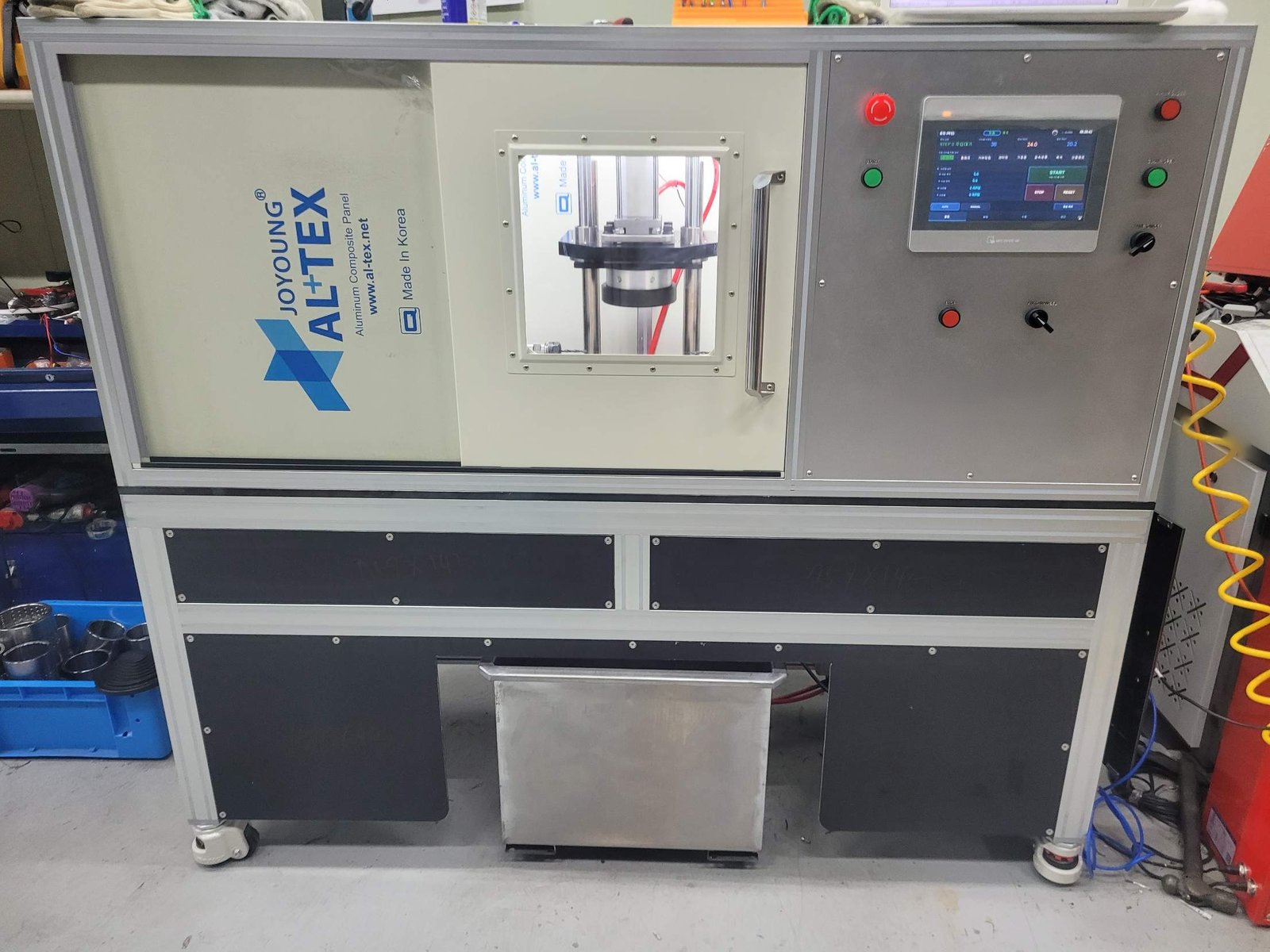
The customer owned the mechanical side. Poyutech designed and built the entire control system — PLC program, six HMI screens, and the electrical cabinet.
What the machine does
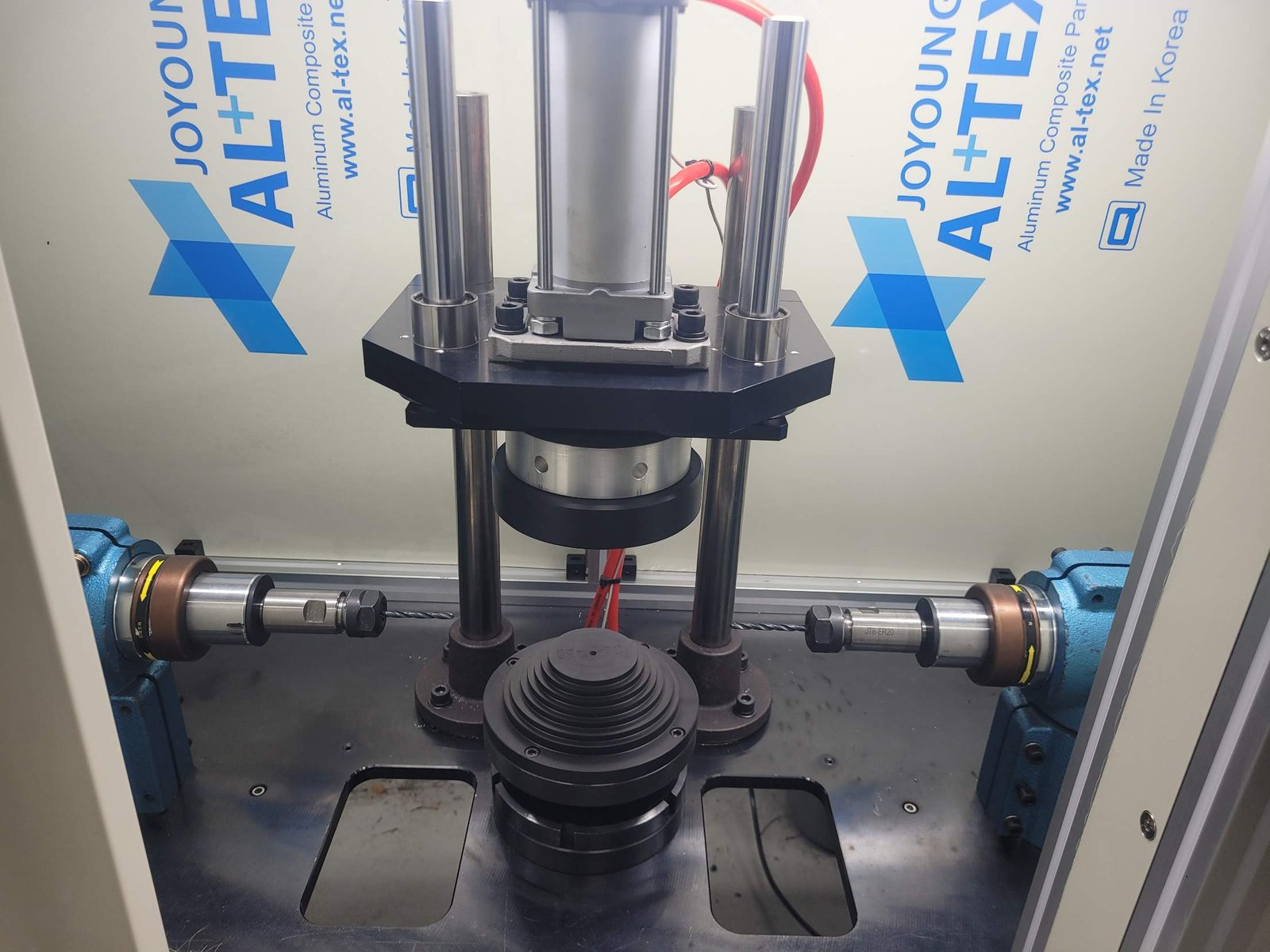
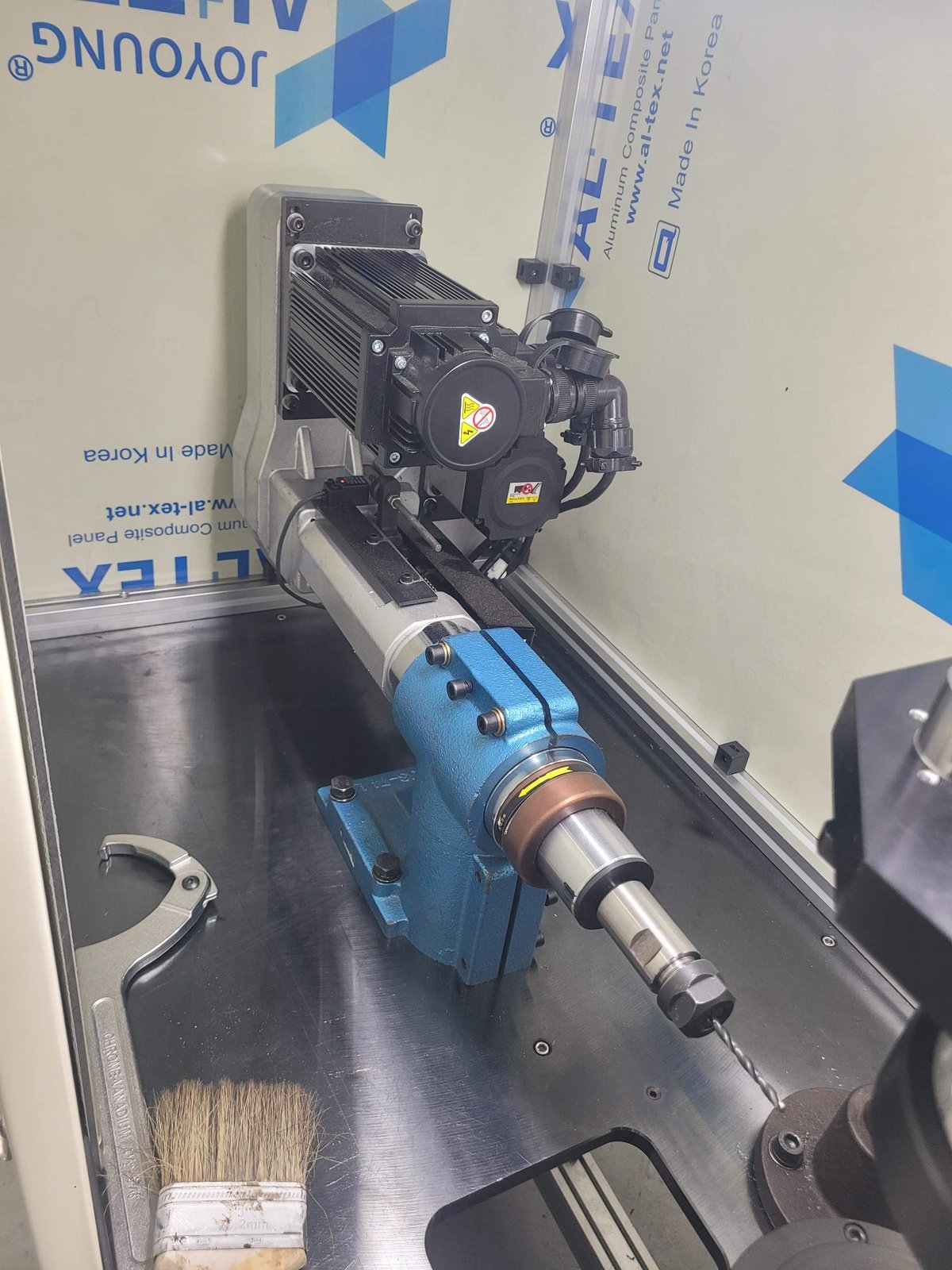
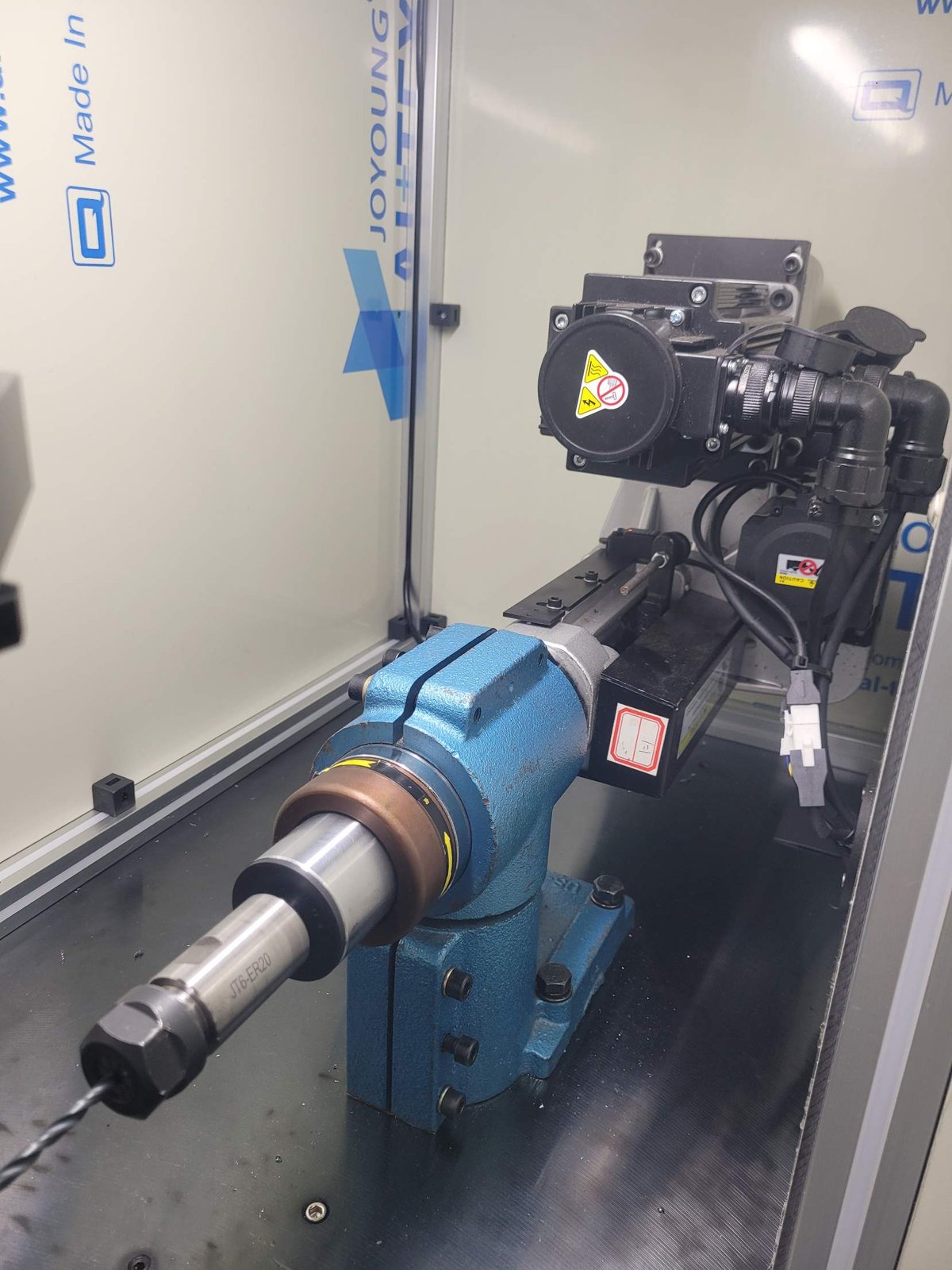
A purpose-built machine that drills from both sides at once into bushings and tube stock.
The operator loads a part, the clamp closes, the part is centred, both drill heads advance together, break through, and retract. Loading and unloading is the operator’s entire job.
The two sides have to face each other exactly. If the holes do not line up, the part is scrap. That is where the difficulty lives.
Control architecture
| Item | Configuration |
|---|---|
| PLC | LS Electric XGB series |
| Positioning | XBF-PD02A special module |
| HMI | Weintek 10” touch panel (EasyBuilder Pro) |
| Servos | 4 axes — feed left/right, spindle left/right |
| Command | Pulse (PLS/DIR) position and speed control on every axis |
| Supply | Single-phase 230 V AC |
We standardised every axis on pulse control instead of mixing in communication-based speed commands. When axes use different schemes, narrowing down a fault takes longer. One scheme means fewer places to look.
Six HMI screens
Operator-facing and supervisor-facing screens were separated.
| Screen | Contents |
|---|---|
| Run | Current process step, cycle count, TACT |
| Recipes | 20 model presets, stored and recalled |
| Manual | Per-axis inching, spindle jog, clamp open/close |
| Monitor | I/O contact states, servo commanded vs actual position |
| Alarms | Occurrence and recovery history |
| Production | Daily and cumulative counts, good/scrap, drill tool-life counter |
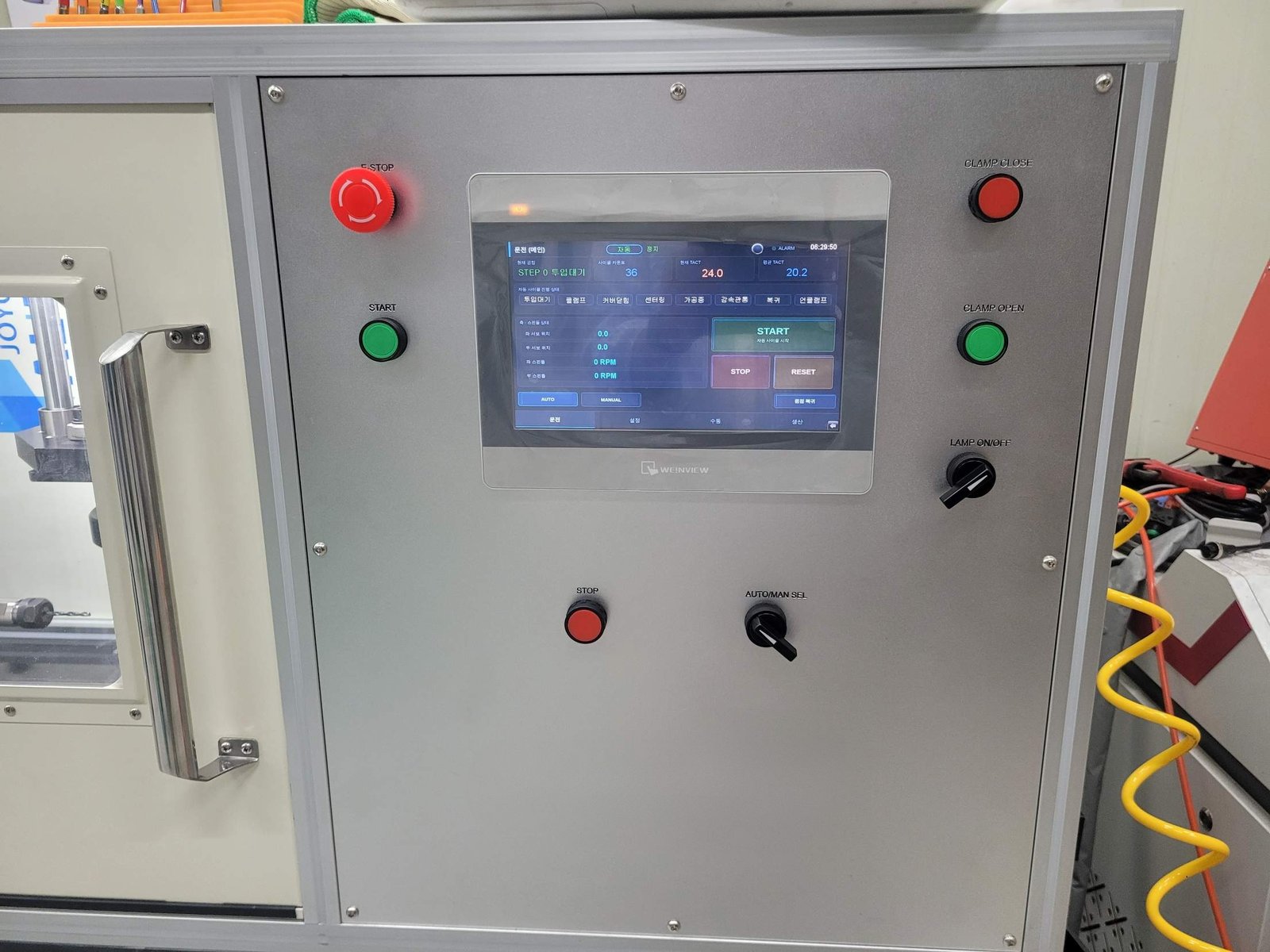
The recipes and the tool counter are what earn their keep. Typing parameters by hand on every changeover produces mistakes; selecting a model number does not. The same goes for drill life — replacing a tool on a number rather than on feel makes sudden breakage rare.
The cabinet started as a drawing
The component layout was drawn 1:1, then the mounting plate was machined, the door cut, and the wiring done in house. The customer’s logo was engraved into the door.
A proper layout drawing means nothing surprises you on site. Duct clearances, DIN rail pitch, drive ventilation gaps, and whether the profile fixing holes collide with components — all settled on the drawing first.
Faults that actually cost us time, and how we fixed them
Written symptom-first so anyone who arrived here from a search can jump to their case.
XBF-PD02A: servo turns one direction only
Symptom — Forward runs normally; reverse does nothing. Wiring and drive parameters all check out.
Cause — The positioning module’s pulse output mode was set to CW/CCW. In that mode, reverse pulses go out on the second output, which the drive treats as its direction line. A drive expecting pulse-and-direction therefore receives no pulses at all in reverse.
Fix — In XG5000, change the module’s basic parameter for pulse output mode to PLS/DIR. Both directions work immediately. No change to drive electronic gearing or wiring is needed.
XBF-PD02A: error 492 right after installation
Symptom — Error 492 on both X and Y axes as soon as the module is fitted.
Cause — A hardware upper-limit error. The limit sensors are not wired yet, and the parameters default to normally-closed contacts, so the module reads a permanent limit condition.
Fix — Either set “use upper/lower limit” to 0 in the basic parameters, or teach the input logic to normally-open (bit 0) with APM_SIP, save with APM_WRT, and reset with APM_RST.
LS XGB: Ethernet connection refused
Symptom — IP, subnet and gateway are all correct, yet neither XG5000 nor the HMI can reach the PLC.
Cause — The FEnet security setting “enable host table” — an IP allowlist — was active. Every unregistered IP is blocked.
Fix — Disable that option and the connection succeeds immediately. Check the dedicated-connection count while you are there.
Weintek HMI: buttons do not write to the PLC
Symptom — The button presses on screen, but the PLC value never changes. Communication is otherwise fine.
Cause — The device type in EasyBuilder was set to MW_Bit, a bit inside a word. That addresses a completely different location than %MX.
Fix — The LS XEC FEnet driver has a separate MX type. The PLC’s %MX64 is MX type 64. Switching the device type to MX resolves it. Word displays can stay on the MW type.
START button does not launch auto mode
Symptom — Pressing START does nothing. The ladder looks correct.
Cause — The STOP bit was stuck at 1, clearing the auto-mode latch on every scan.
Fix — Set the HMI button attribute to Momentary. Configured as Toggle or Set, it stays on permanently after one press.
About Poyutech
Poyutech is a smart manufacturing company based in the Gyeyang Knowledge Industry Center, Incheon, South Korea. We handle mechanical design, control design, HMI development, and control cabinet fabrication under one roof.
- 9 registered patents
- Registered on Korea’s public procurement channels (Nara Jangteo, S2B) — schools and public institutions can purchase directly
- Own products: laser marking systems (Poyumark), browser-based CAM software (PoyuCAM), 3D printing services (3D4U)
- In-house CNC machining, 3D printing, and laser processing
We are a three-person company, which means the principal engineer designs the machine and answers the phone. There is no sales layer in between.
What you can hand us
Take the whole machine, or only the part you are stuck on.
| Scope | Contents |
|---|---|
| Turnkey | Mechanical design, fabrication, and controls |
| Control system | Where the mechanics exist and PLC, HMI and cabinet are needed |
| HMI only | Screen planning, implementation, tag mapping, communication setup |
| Cabinet only | Layout design, panel machining, wiring, logo engraving |
| Retrofit | Controller replacement or added functionality on existing machines |
No specification document is required. Describe the motion you want and we will break it into quotable pieces.
Contact
- Email — 3d4utech@naver.com
- Phone — +82-70-7510-4839
- Address — Gyeyang Knowledge Industry Center #313, Incheon, South Korea